How to connect
To connect to the server, you need to have a copy of the game installed on your computer. You can download the game from the official osu! website.
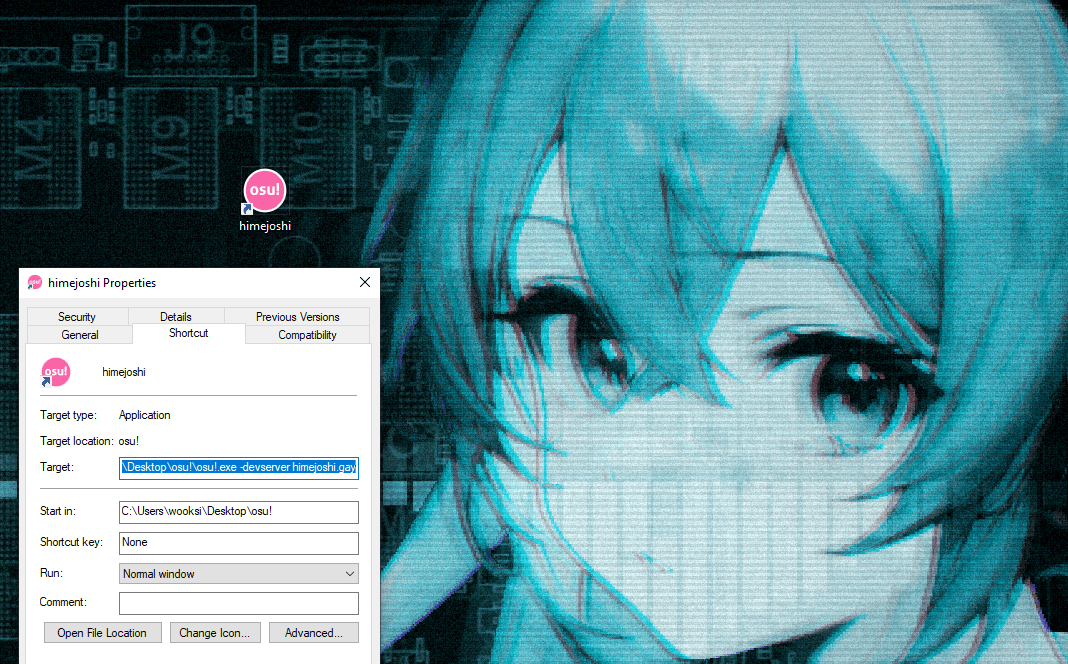
- Locate the
osu!.exefile in the game directory. - Create a shortcut of the file.
- Right click on the shortcut and select properties.
- In the target field, add
-devserver himejoshi.gayat the end of the path. - Click apply and then OK.
- Double click on the shortcut to start the game.